Skip to content

ERP for manufacturers and distributors

You sell.
The system does the rest.

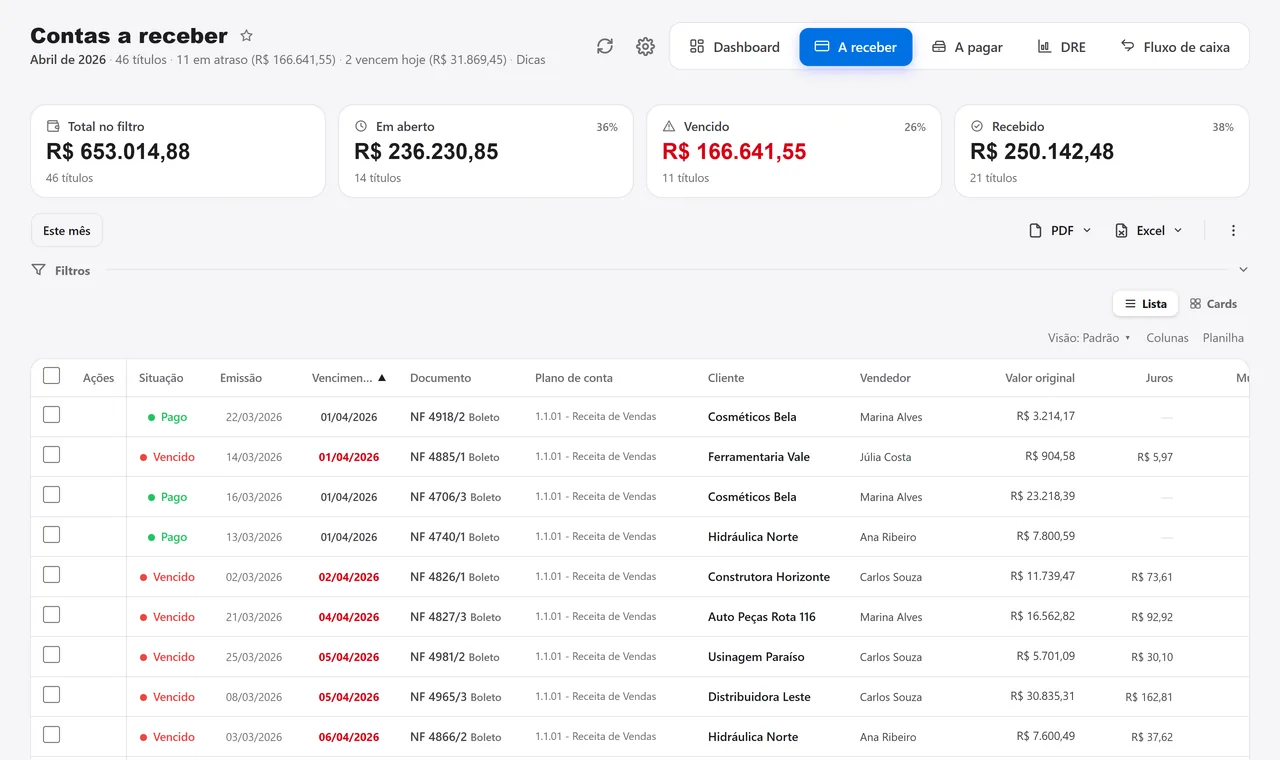
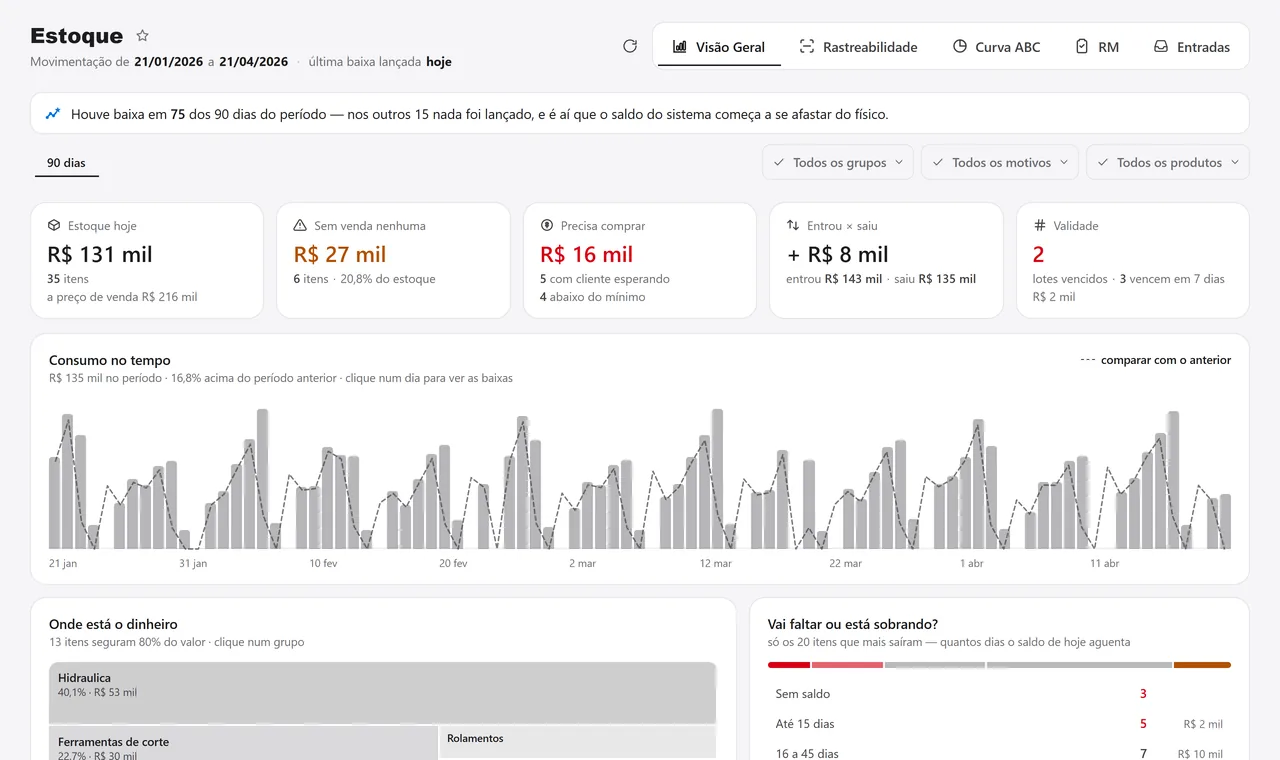
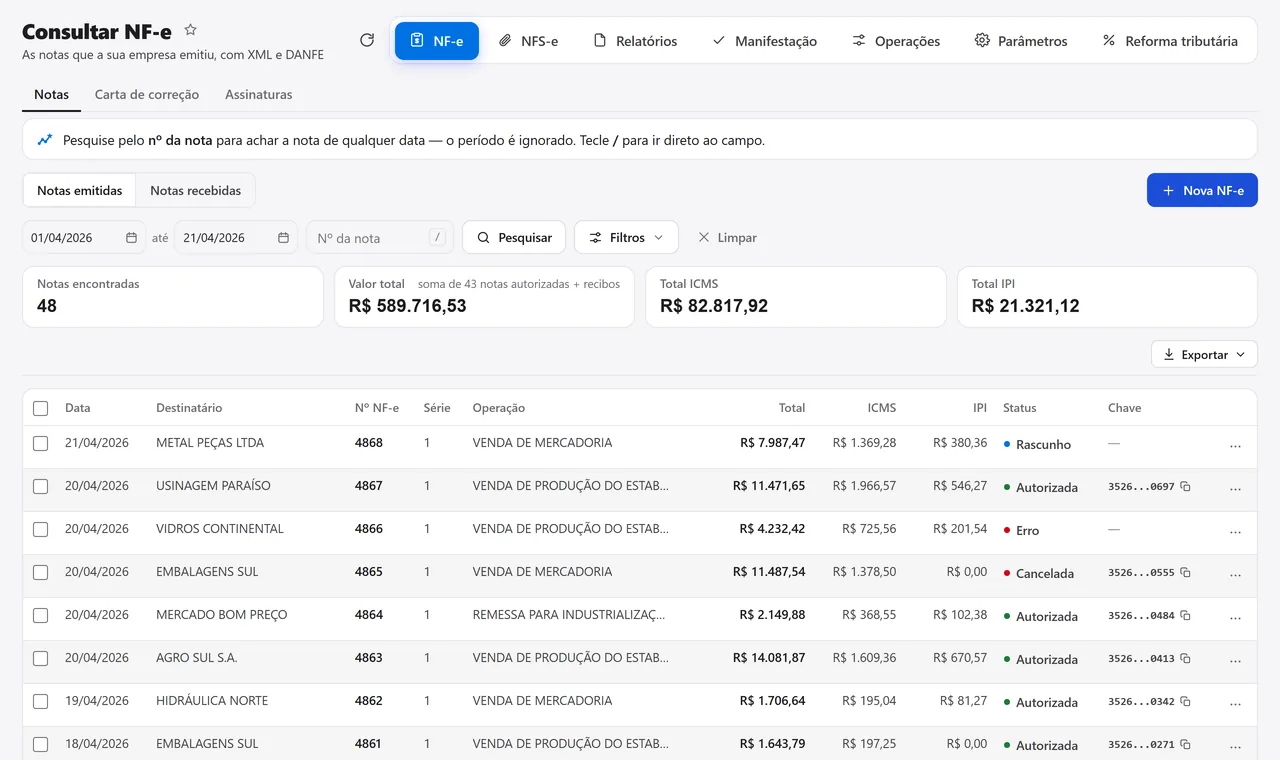
The order becomes an invoice, the invoice a receivable, and the file goes to the Drive by itself. Develop AI answers about your numbers, and the website sells from the same stock.

  • 26Years building ERP
  • 100+Companies served
  • 21Modules on one record
  • Desktop · Browser · PhoneRuns on
  • In-house teamSupport

What would you like to know about the system?

The software changes every week

626 improvements in October.

Across 203 published versions, each with a list of what changed, written for the people who use it.

in November, so far
77
versions this month
30
years building ERP
26

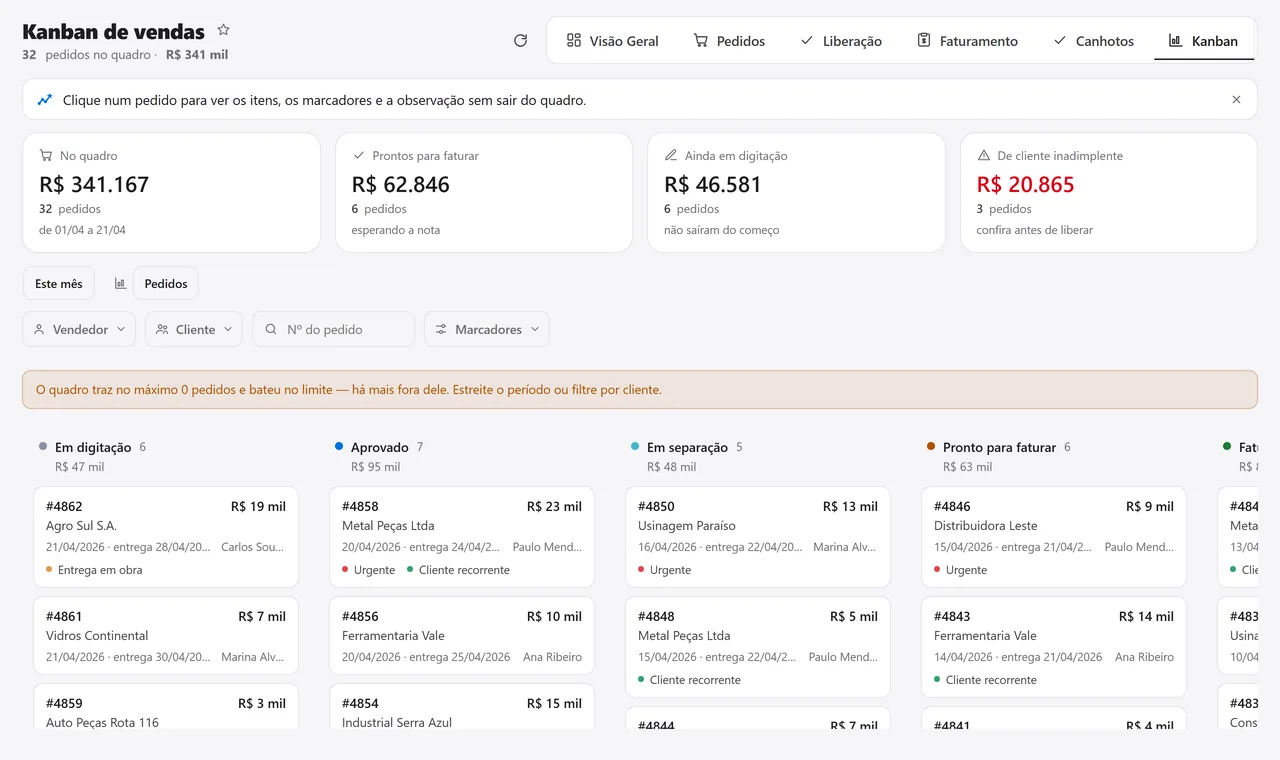
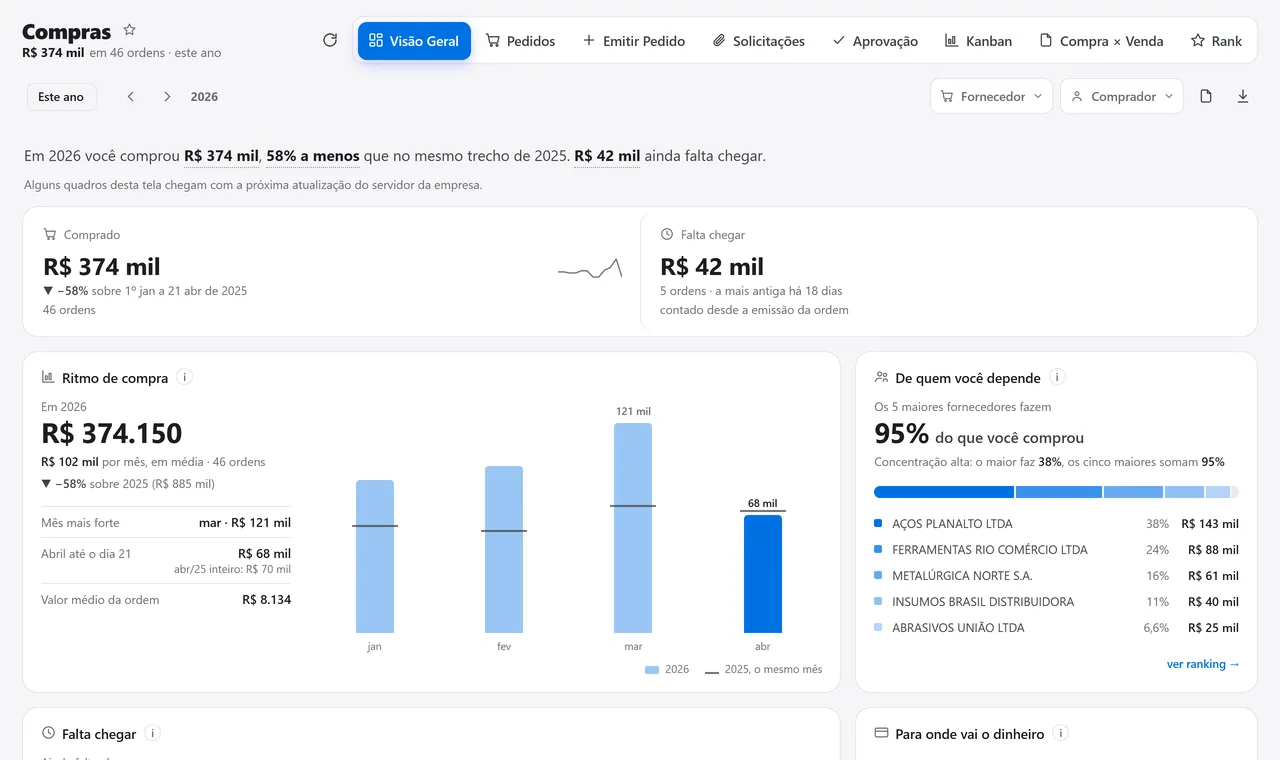
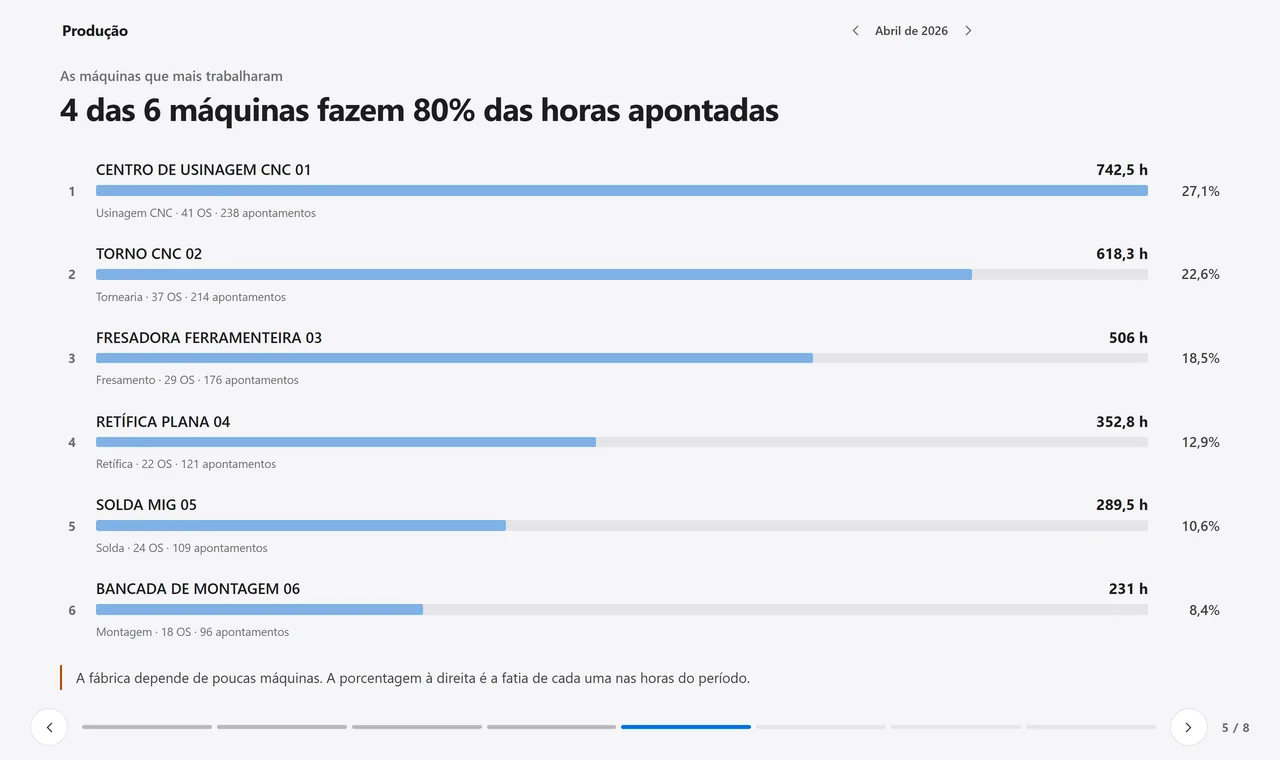
One record, 21 modules. The order becomes invoice, stock and finance without anyone typing it again.

See all 21 modules
POS

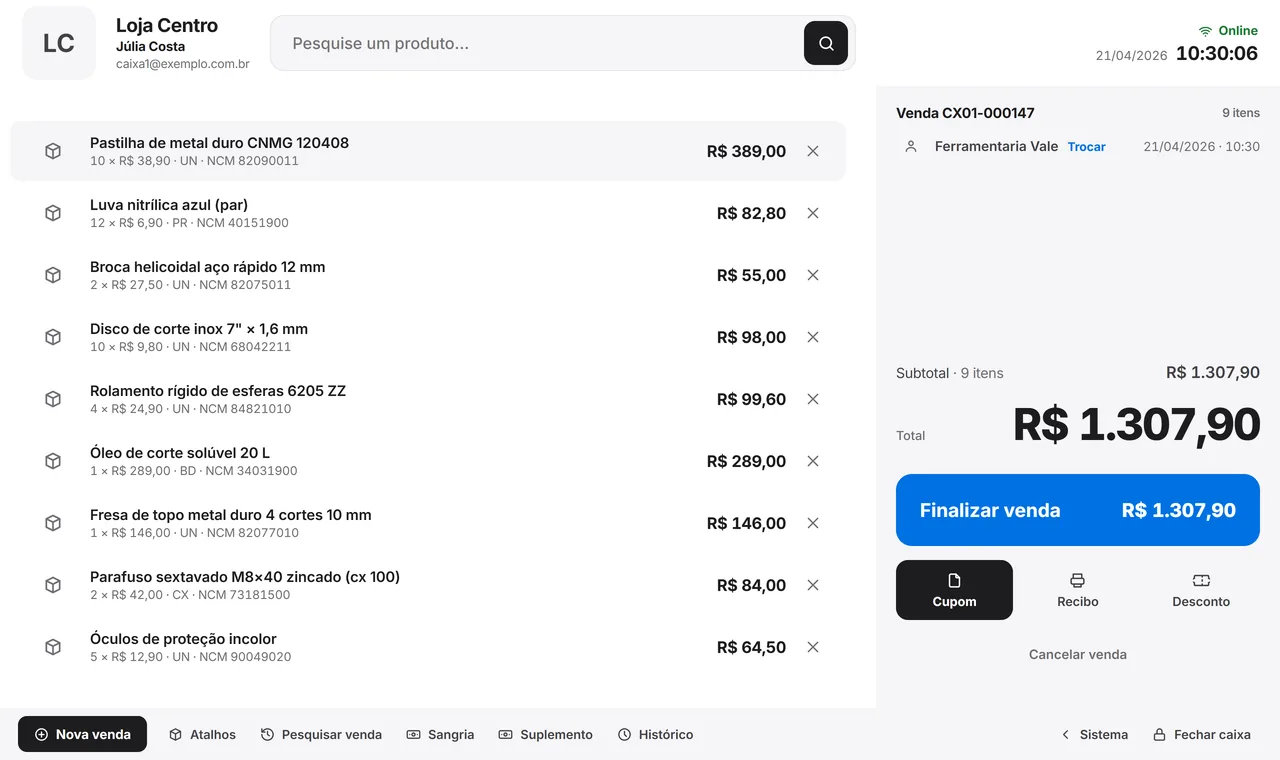
A till that closes right. And lands in finance on its own.

Card, Pix and cash in the same till. Without internet it keeps selling and sends everything once the connection is back.
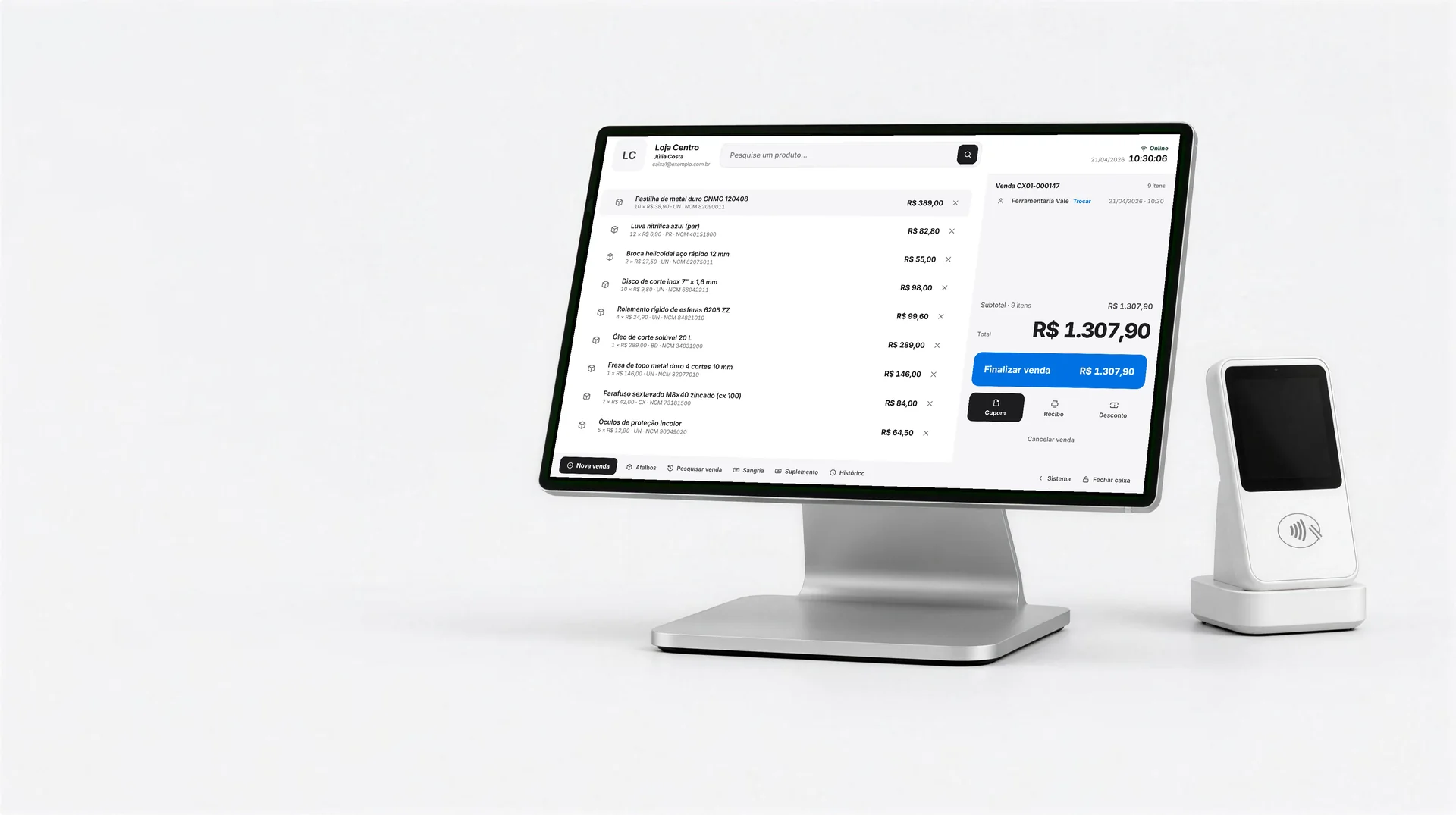
Develop’s POS open on a counter terminal, with a R$ 1,307.90 sale on screen and the contactless card reader beside it.
  • Offlinethe till never stops selling
  • Many methodscard, Pix and cash in one sale
  • Promotions and cashbackapplied by the till
  • Closingper operator, straight into finance
Develop Drive

Every company file in the right place. The invoice files its own PDF and XML.

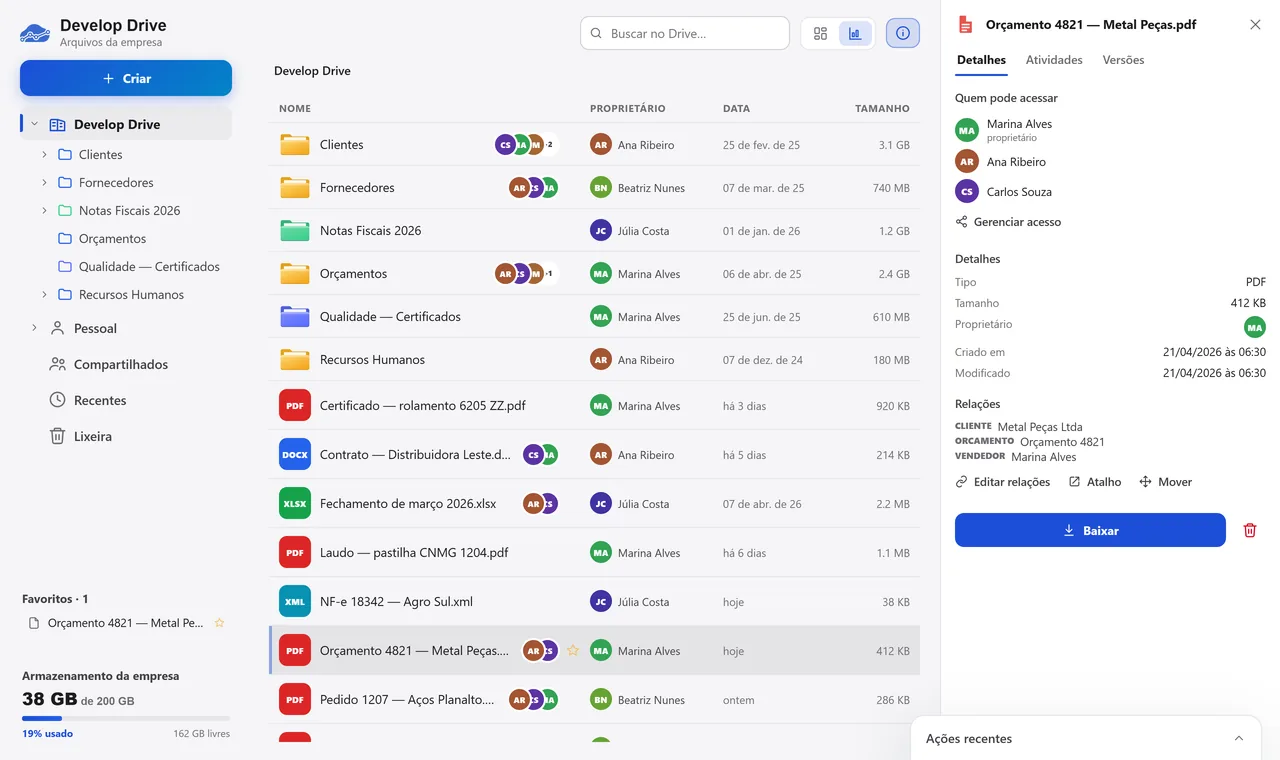
Each file is linked to the customer, the order or the invoice. Your computer folder syncs with the cloud and your accountant gets their own folder.
Develop Drive
Develop Drive with the company folders and files by type, owner and date; beside it, a quote PDF showing who has access and which customer it is linked to.

Who has access

MAMarina Alvesowner
ARAna Ribeiro
CSCarlos Souza
Every file has an ownerWho can see it and who created it, file by file.

Links

CustomerMetal Peças Ltda
QuoteQuote 4821
Sales repMarina Alves
Linked to recordsThe quote opens from inside the customer and the order.

Invoices 2026

XMLInvoice 18342 — Agro Sul.xml
PDFInvoice 18342 — Agro Sul.pdf
saved when the invoice is authorized
Invoices file themselvesThe XML and the PDF land in the month’s folder.

Automations for any industry. A few we have already built for Develop customers.

See the industries we serve
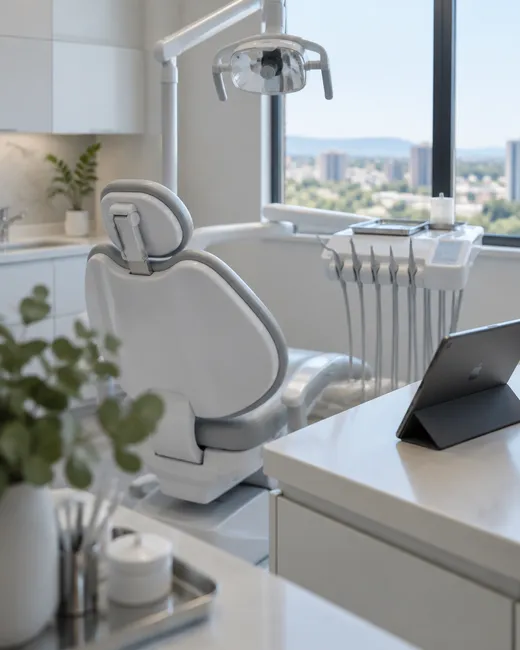
A bright dental office with the chair and a tablet on the counter.

Dentistry

  • Tooth-by-tooth quotes on the dental chart
  • WhatsApp chats with patients, inside the system
  • Dentist commission calculated automatically
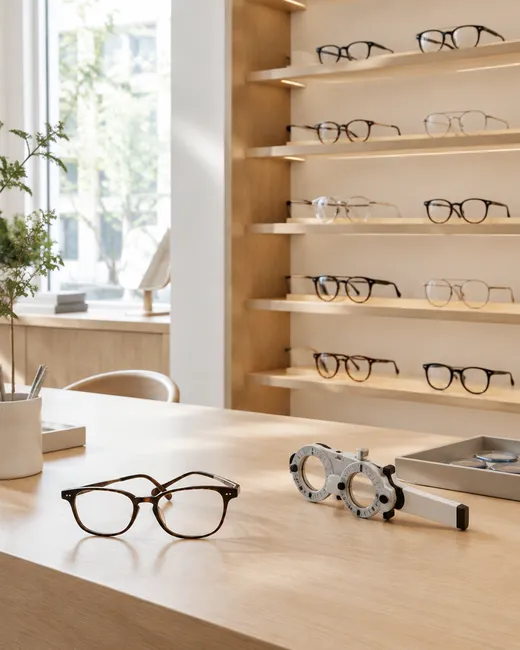
An optical store counter with frames on the wall and a lens ruler on the table.

Optical stores

  • The work order is born from the sale and goes to the lab
  • Prescription and face analysis while choosing the frame
  • Promotions and cashback applied by the till
A wholesale aisle with boxes of sweets on the shelves and a salesperson holding a phone.

Markets and wholesale

  • Orders on the salesperson’s phone, even offline
  • Payment terms from the last order already filled in
  • The customer’s open bills in view before selling
Trays of freshly fried coxinhas and savory snacks in a professional kitchen.

Food

  • Online store with the menu and prices from the system
  • The party calculator: how many snacks for the guests
  • Website orders go straight into the system

Your industry

Tell us how your company works. We design the automation and put it in your system.

Talk about my process
Website

Your company website, connected to the ERP. Orders placed online enter the system on their own.

Products, prices and stock come from your records. The order arrives with the customer registered and stock reserved, and the dashboard shows visits, orders and conversion.
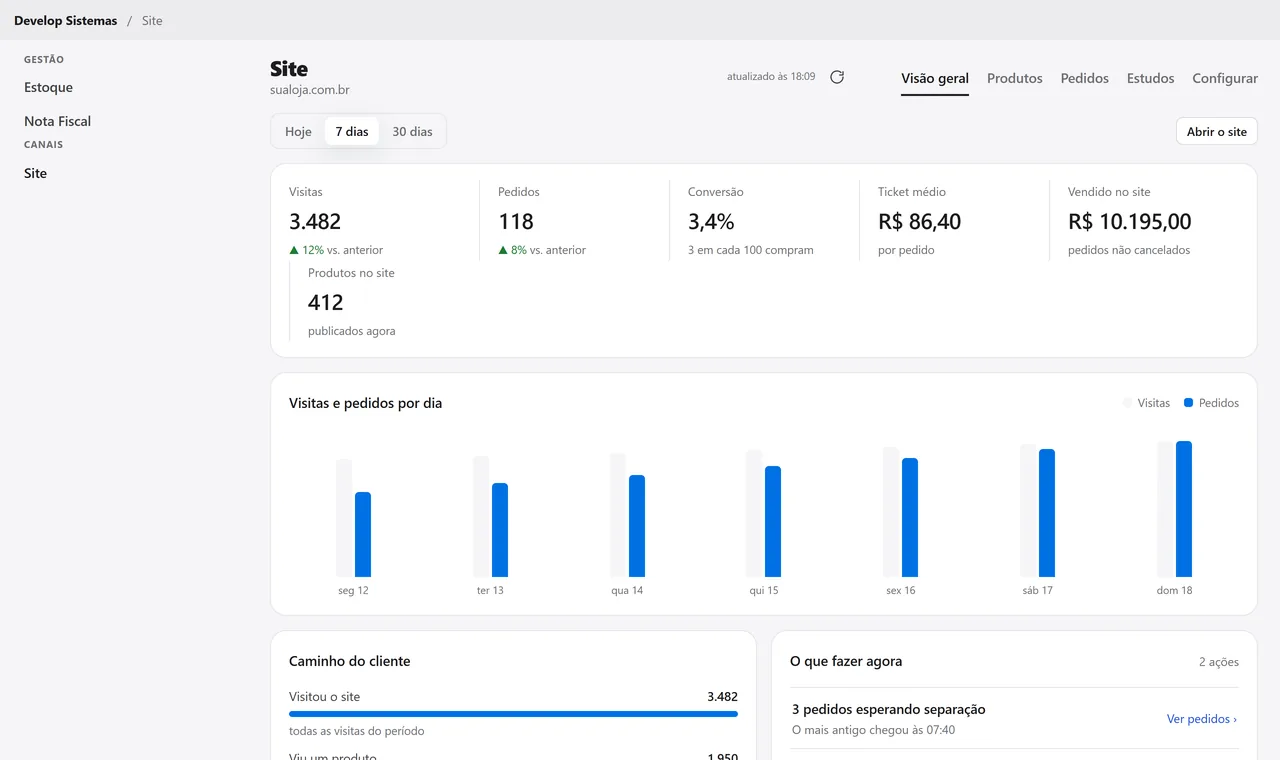
The Website dashboard in Develop: 3,482 visits, 118 orders and 3.4% conversion this week, with a chart of visits and orders per day.
  • Online orderenters the system on its own
  • Stockreserved instantly
  • Customerregistered on first purchase
  • Dashboardvisits, orders and conversion

See the system with your own data.

A conversation with your company on screen and the system running on your numbers.

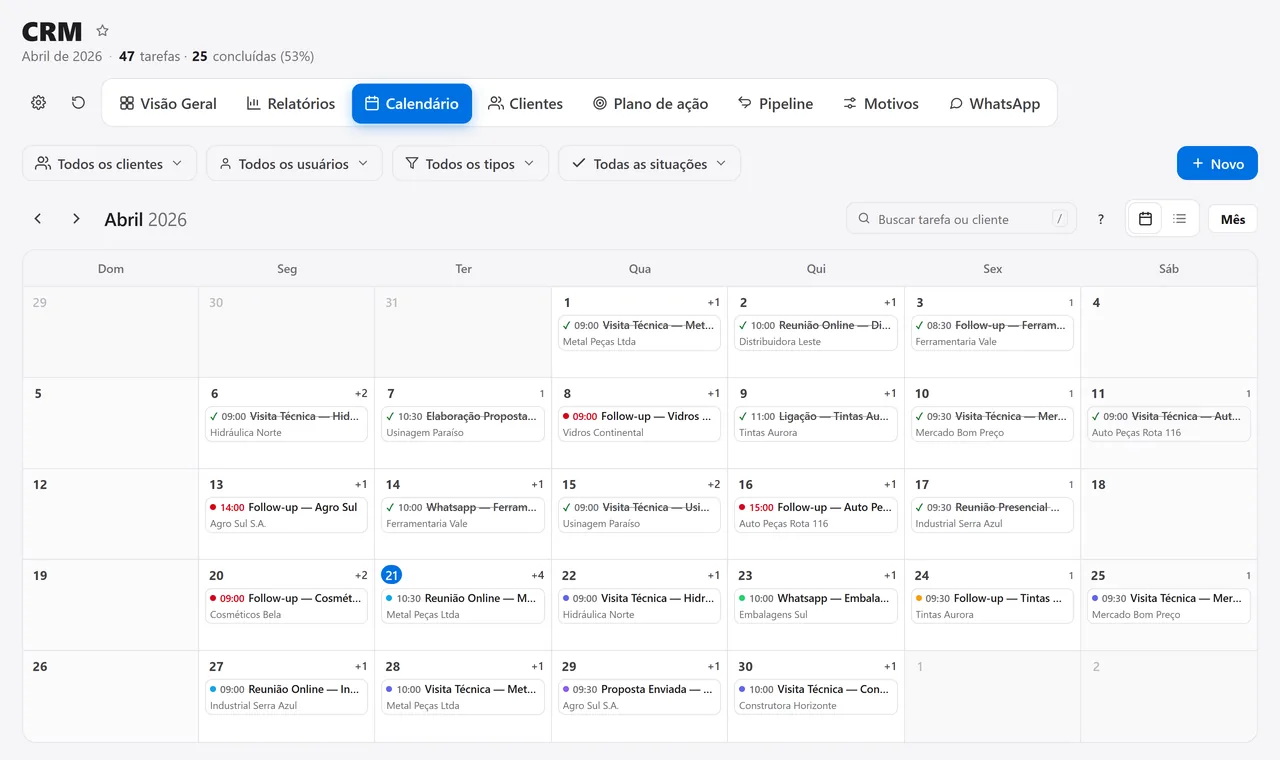
Your CRM tasks in your Google Calendar.

Inside the Develop system, each user can connect their own Google account so that CRM tasks and meetings become events in their calendar, with Google’s reminder on their phone. Connecting is optional, can be turned off at any time, and the system only touches the events it created itself.

How we use your Google account

FAQ

Type your question and press Enter: the answer opens right below, in the list.

What is Develop?

An ERP for manufacturers and distributors: sales, inventory, production, invoicing and finance in one system. An order is entered once and every department sees what happened in the others, with no retyping and no side spreadsheets.

What kind of company is it for?

Distribution and wholesale, parts manufacturing, tool & die and machining, oil and fuel, fire protection equipment, farm machinery dealers, cosmetics and retail. There are also versions for dentistry, dental prosthetics labs, medical clinics, optical stores, doors and windows, and construction.

Do I have to buy every module?

No. There are 21 modules on the same records: you turn on the ones you use today and add the others when you need them.

How does implementation work?

In three steps, one after the other: understanding how your company works, configuring the system for that way of working, and staying with you after it goes live. Training is by department, on the screen each person will use.

Do my current records come along?

Yes. Bringing over the data you already have (customers, products, price lists) is part of implementation. First, we list what is duplicated or incomplete, so the data comes in clean.

Who provides support?

Develop’s own team, with no bot on first contact and no outsourcing. You can reach us by email, by phone or with a ticket from inside the system, on business days.

See all questions